lists and groceries
Liste
Simple lists, to share.
Make your lists on your own or together, and tick things off as a team. Type “2 milk, 6 eggs”: Liste understands the quantities and sorts everything in your store’s order.
On Android, with Zappy- Plain checklists, and shopping lists that come back every week.
- Type “2 milk” or “500 g flour”: the quantity is recognized apart.
- Shopping mode follows your store’s order, learned as you shop.
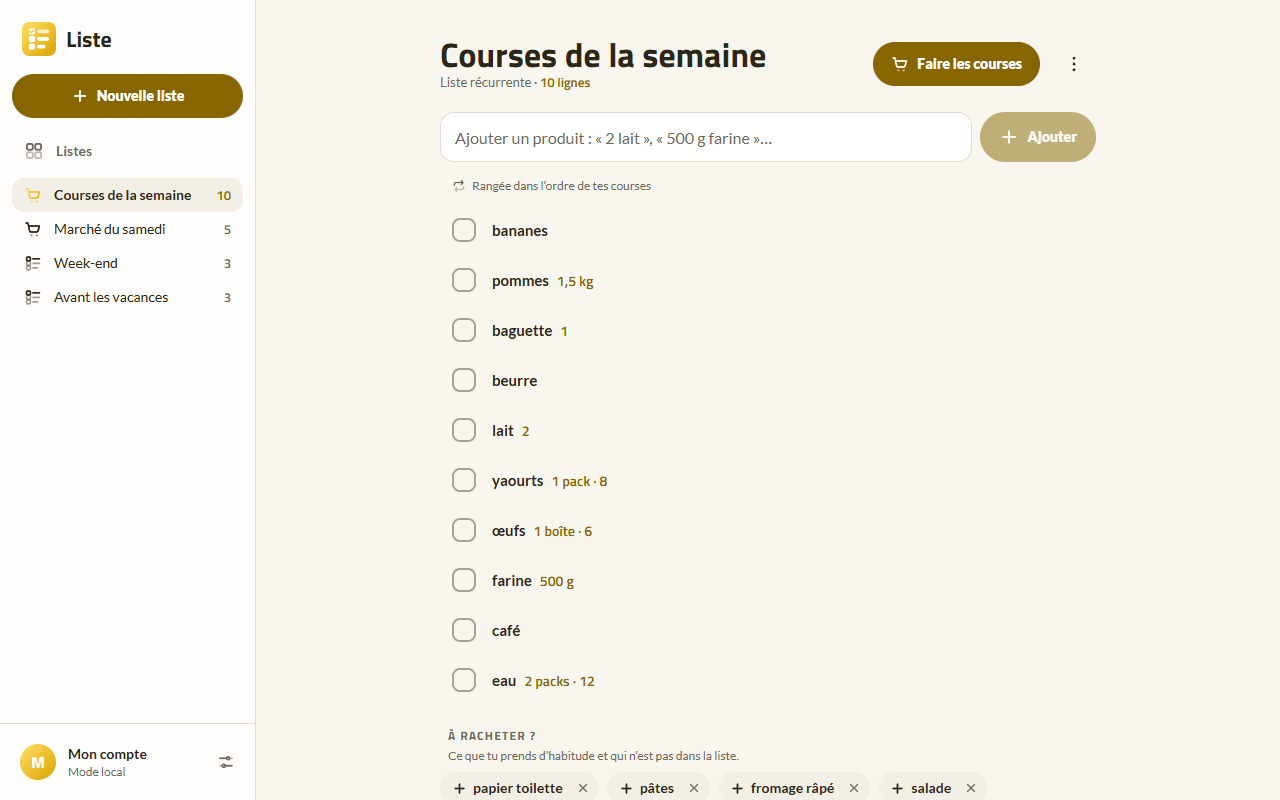
Screenshots
-
A list on a computer 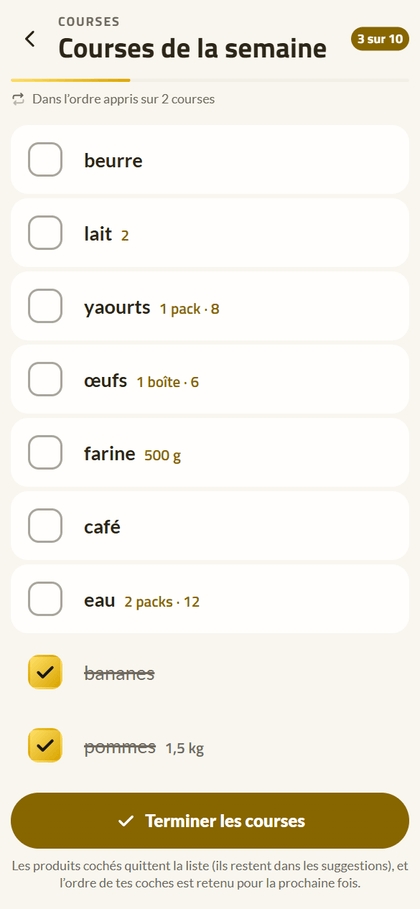
Shopping mode, in the order of the shop 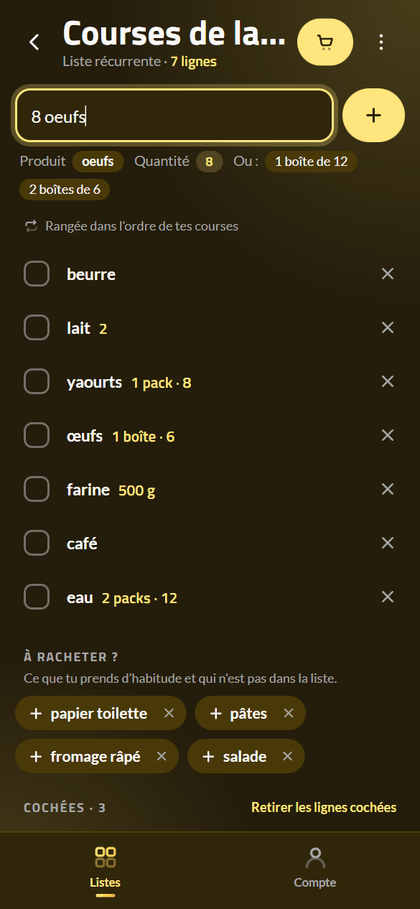
On a phone, in the dark theme 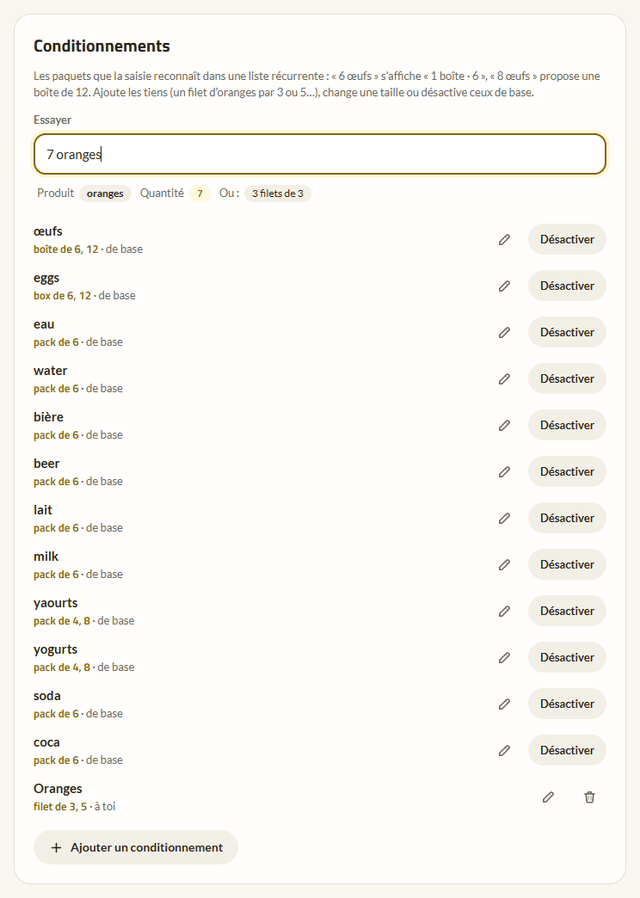
Pack sizes: “6 eggs” becomes “1 box · 6”
What the app does
Simple lists
A list, some lines, a box to tick. For groceries, packing, presents or things to do, on your phone as on your computer.
Quick typing
“2 milk”, “a dozen eggs”, “pack of water”, “1.5 kg apples”, in French and English. A product already on the list gets its quantity added up instead of a second line.
Shopping mode
Big lines to check in the learned order, a progress bar; “Finish shopping” remembers the order of your checks and removes what you took.
Your store’s order
Two trips in the same order are enough for the third to suggest it; a rearranged store is followed within a few trips.
Suggestions
“Buy again?” suggests what you usually take and isn’t on the list, and typing completes the products already seen.
Pack sizes
Eggs by box of 6 or 12, water by pack of 6… and your own: “6 eggs” shows as “1 box · 6”.
Together
Share a list with the people close to you: everyone adds and ticks, changes arrive within seconds, and each line says who added or ticked it. Shared lists stay encrypted, with one key per list that only its members have.
Everywhere, even offline
On the web and as a native Android app, with the same lists; everything works offline and changes go out when you’re back online.
Your data
You sign in with your Bluesky account: nothing else to create. Or you stay without an account, and everything stays on the device.
Your lists, their lines and what the app learns from your shopping are encrypted on the device with a passphrase only you know, then stored with your Bluesky account. Your store’s order is yours. No ads, no tracking.
Questions
Do I need a Bluesky account?
No: “Continue without an account” keeps everything on the device. You can sign in later: your lists then join the account, without losing anything.
Can I share a list?
Yes, with a Bluesky account: menu ⋮ › Share, then the person’s handle. They get an invitation link that works only once, only for their account, and holds no secret: the list’s key is encrypted for each member’s personal key. Everyone adds, ticks and edits, live; only you, the host, rename the list, invite, remove a member or delete it.