the family’s Android launcher
Zappy
Discover, install, update. That’s it.
Zappy installs and updates the family’s apps on your phone, and shows you what’s new in them.
- Install an app, or update them all at once.
- One notification a day at most when updates are ready.
- What changed since your version, and each app’s screenshots.
Screenshots
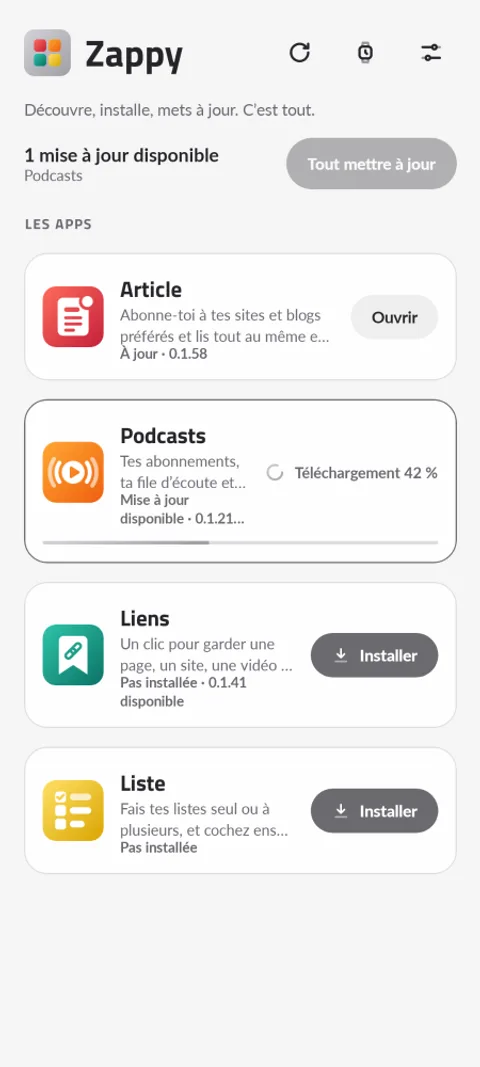
The home screen: each app, its state, and an update in progress 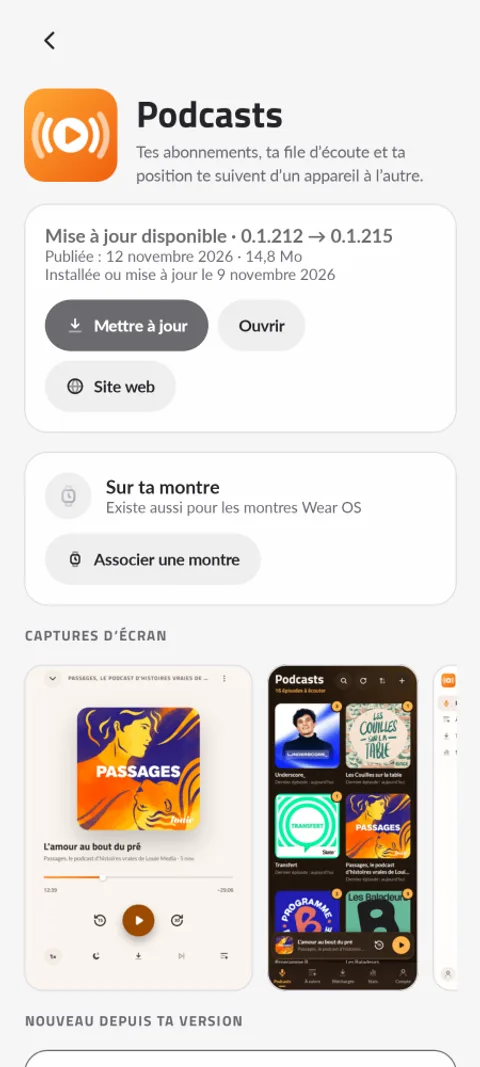
An app’s page: the update, the screenshots and what changed 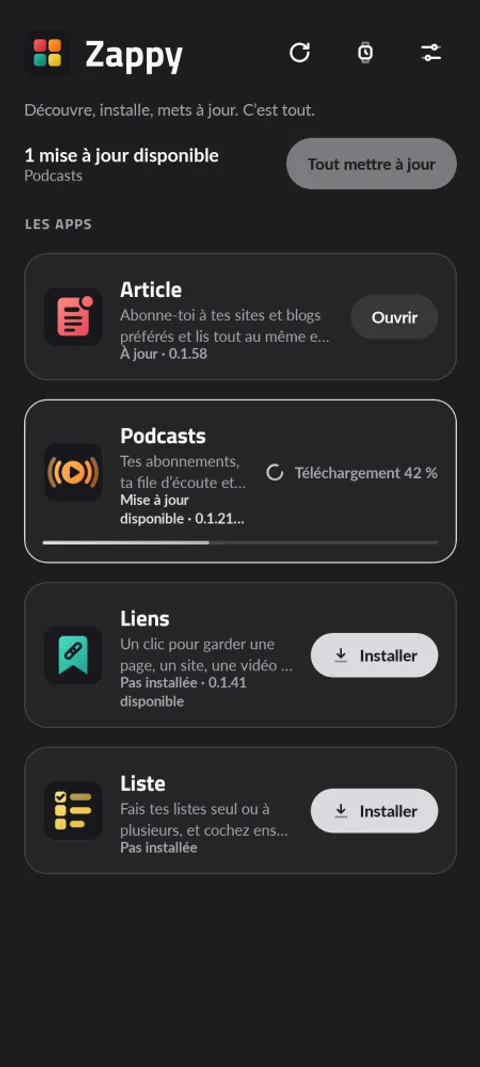
The home screen in the dark theme 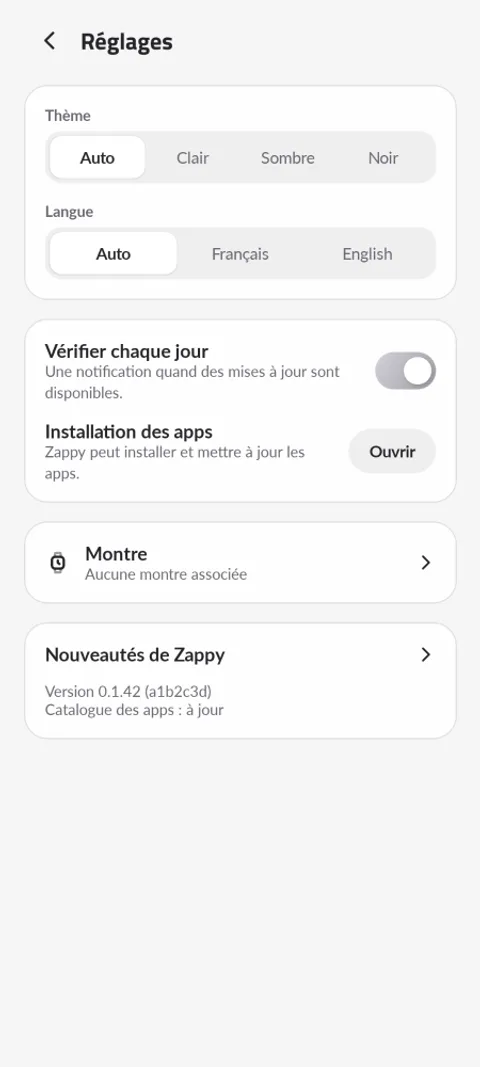
The settings
What the app does
The catalogue
Each app, its state (up to date, update available, not installed, soon) and a button to install, update or open it. A new app shows up by itself, without updating Zappy.
Safe updates
Each APK is checked (SHA-256) before it’s handed to Android. On Android 12 and later, an app Zappy installed then updates without a prompt when Android allows it.
What changed
An app’s page shows its screenshots and its changelog, with what’s new since the installed version on top.
Zappy itself
Zappy updates itself the same way, and shows once what changed after an update. Light, dark or black theme, in French and English.
What’s new
- First version of Zappy: the family's apps in one place. Install them, update them (one by one or all at once), open them, and see what changed since your version.
- At most one notification a day when updates are available (can be turned off).
- Screenshots of each app, to scroll through and open full screen.
- New apps show up by themselves: Zappy reads the catalogue published on zappy.pm.
- Your Wear OS watch: pair it once (wireless debugging and a 6-digit code, guided step by step), then install and update Liste and Podcasts on the watch from your phone. Zappy only connects to it for the install and then reminds you to turn wireless debugging off.
Your data
Zappy has no account and sends nothing. It reads the catalogue of apps published on zappy.pm, and the files each app publishes next to its APK (version, changelog, screenshots).
Questions
Why does Android ask to allow Zappy to install apps?
The apps don’t come from the Play Store: Android asks the first time whether Zappy may install them. Zappy reminds you with a card on its home screen.
How do I install Zappy?
Download its APK on the phone and open it. After that, Zappy updates itself.